Asenware
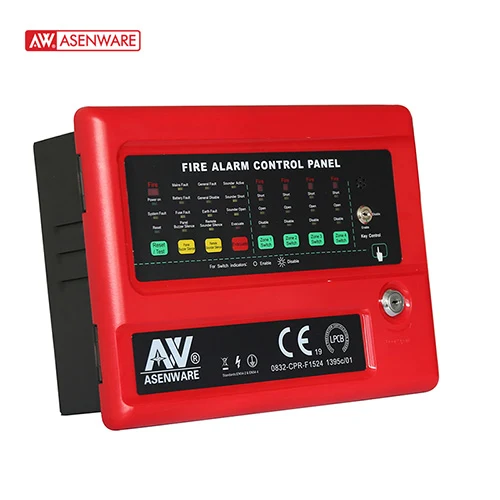
Asenware AW-CFP2166-4 Conventional fire alarm panel 4 zone (LPCB Approved) with RS485
AW-CFP2166-4 ● Առկայությունը ճշտեք վաճառողից41 400 ֏
Առկայությունը կհաստատի մեր մենեջերը՝ պատվերից հետո զանգելով։
| Ապրանքանիշ | Asenware |
|---|---|
| Մոդել | AW-FP128L |
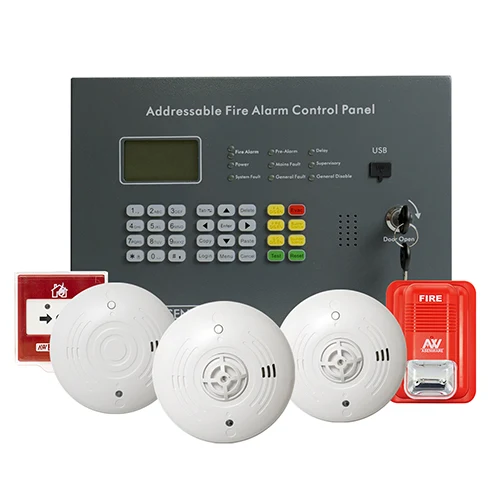
this wireless fire alarm control panel adopts 3.2-inch LCD screen, key operation, simple operation, beautiful man-machine interface. The wired circuit of the machine can be connected to 128 devices, 80 groups of wireless circuits wireless fire alarm control panel(AW-FP128) adopts 3.2-inch LCD screen, key operation, simple operation, beautiful man-machine interface. The wired circuit of the machine can be connected to 128 devices, 80 groups of wireless circuits, a wireless circuit can be connected to 20 wireless devices, such as smoke detector, temperature detector, input and output module, etc. Two kinds of configuration equipment test. 1. the host hand, automatic registration of all the equipment in the wired loop. 2. The computer software configures the device status. 8 hosts CAN communicate with each other for remote control. An independent linkage group can be set up for devices in each zone. When a device generates an alarm, the device can be activated by strobe based on the zone Link group Settings. wireless fire alarm control panel Features: 3.2-inch LCD display screen operation. All addressable devices use a two-wire system. A single loop can connect 128 wired addressable devices. 1.4 Up to 999 records of history can be saved (save when power off). There are four access levels. It has a rechargeable backup battery. Can simply judge the running status of the machine based on the LED lights. Automatic search device Each of the eight hosts CAN be controlled remotely USB software upper computer to check and set the device status and fire history records LCD Display Screen and Button Introduction LCD display screen: It is used to display all alarm information and configuration information of all current systems, and can set various contents of the system through button. Reset: After pressing the reset button, the panel will reset the whole system. Evac: Activate the fire alarm signal output to drive external devices alarm and panel buzzer. Buzzer Silence: The panel buzzer can be silenced, and re-sound when a new fault or fire alarm is detected. Sounder Silence: It can silence the external alarm devices of the panel and restart the external devices when new fire alarm is detected. F.A DIS/EN: Press this button to disable or enable F.A Output S.C DIS/EN: Press this button to disable or enable S.C Output After pressing the Test button, all the LED lights in the Panel light up in sequence in line units to realize self-check. It does not affect the original state after completion. Login: On the home page, press the Login key to enter the login permission and select different access levels (If the password is entered correctly, the Login key indicator is on. First Name